App Roles
Overview
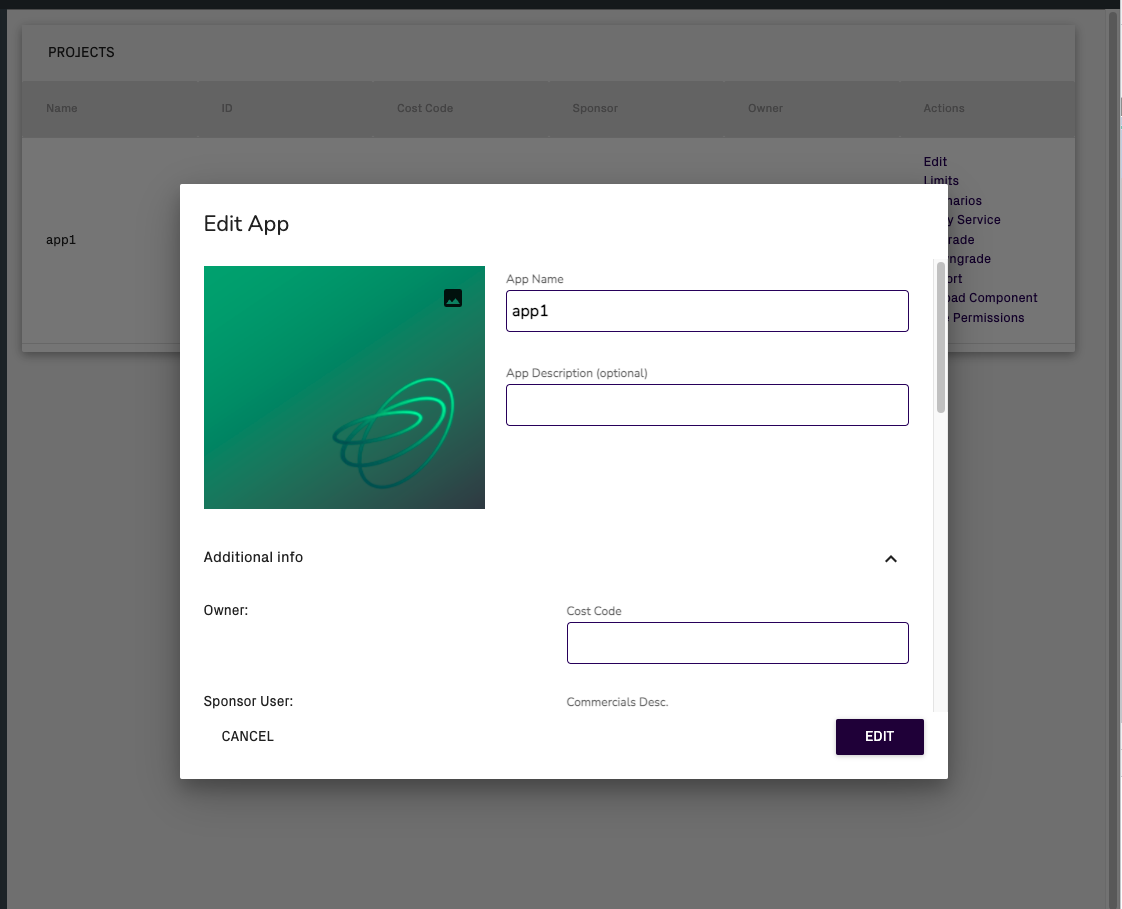
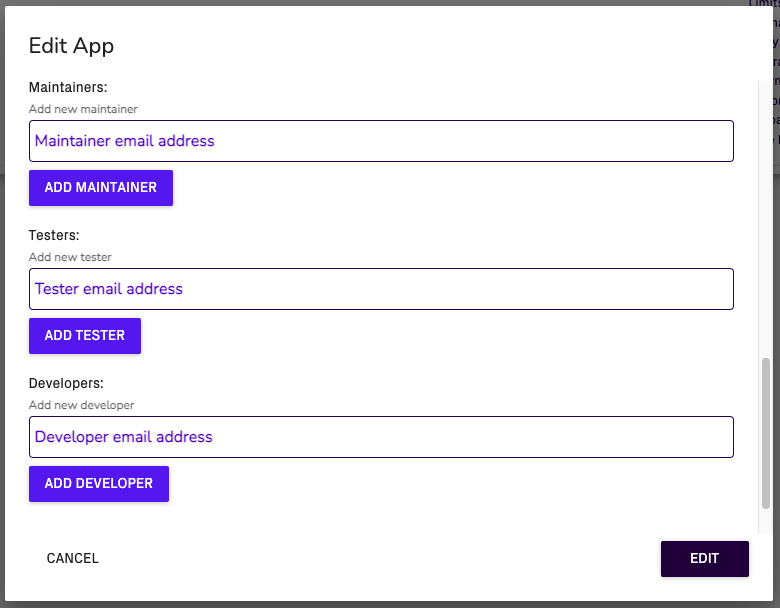
There are four app roles owner, maintainer, developer and tester. Users can be assigned to one or more of these for an app in the Edit App modal. Users can access the Edit App modal if the host is configured to allow project creation (deployment config) and the user has portal role of creator or admin.
You must also have at least a creator portal role to be able to use most capabilities granted to you by app role. It is therefore recommended that only creators and admins are given app roles.
App roles are important for app lineage - users who don't have an app role on an app will only be able to see the gamma environment. This applies even to superadmins.
App roles also have an effect on which app administrative functionality one can access.
Description of Each Portal Role
Owner
There can only be one owner of an app. Being an owner grants you the same permissions as being a maintainer.
App Administrative Functionality: Same as maintainer.
Maintainer
App maintainers can see all app lineage environments (alpha, beta, and gamma). They can see the edit pencil in-app.
App Administrative Functionality: If user is an admin they can see all app administrative functionality. Same if creator, but no Routing page. Deployment config options may restrict app administrative functionality on certain hosts.
Developer
App developers can do everything that's possible for maintener excluding publishing to gamma (promoting to beta is allowed).
App Administrative Functionality: Same as maintainer.
Tester
App testers can only see beta and gamma lineage environments. They cannot see the edit pencil in-app.
App Administrative Functionality: Same as having no app role.
No app role
App Administrative Functionality: If user is creator or admin, can see Models, Model Inputs, Submissions, Analytics, and Custom Datapoints.
App Roles Management
App Roles might be modified in two places in the app. First one is edit project modal in main view of the app and second one is edit project modal in admin panel.
Edit Project Modal
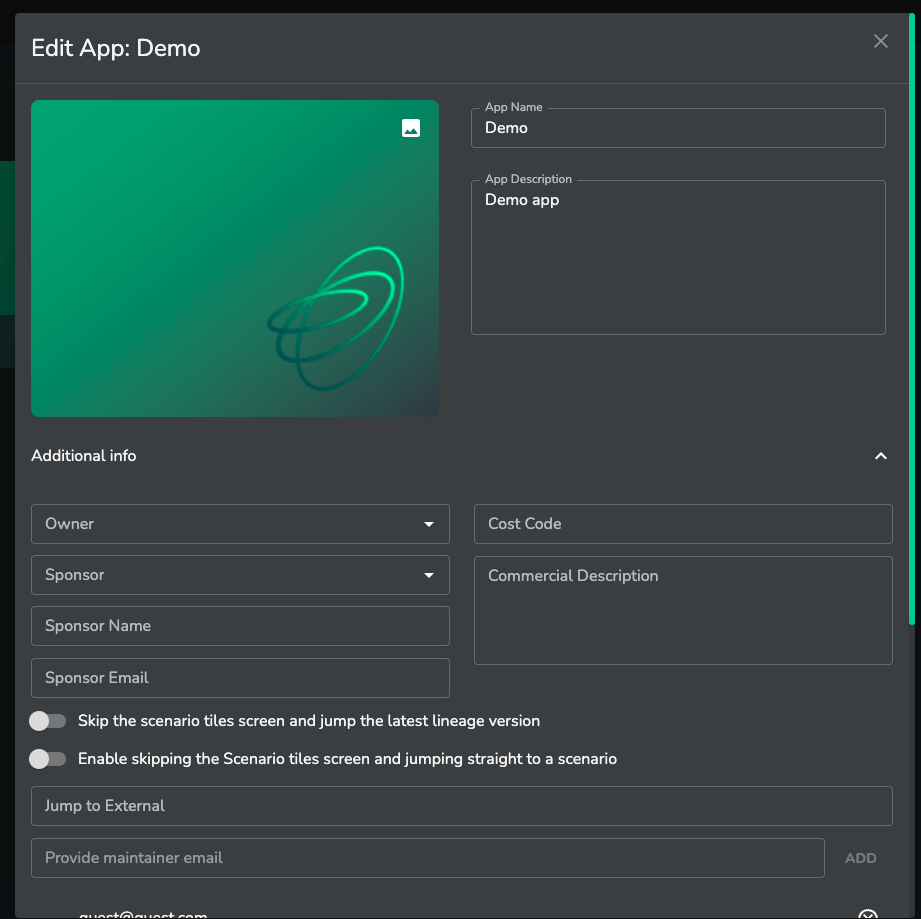
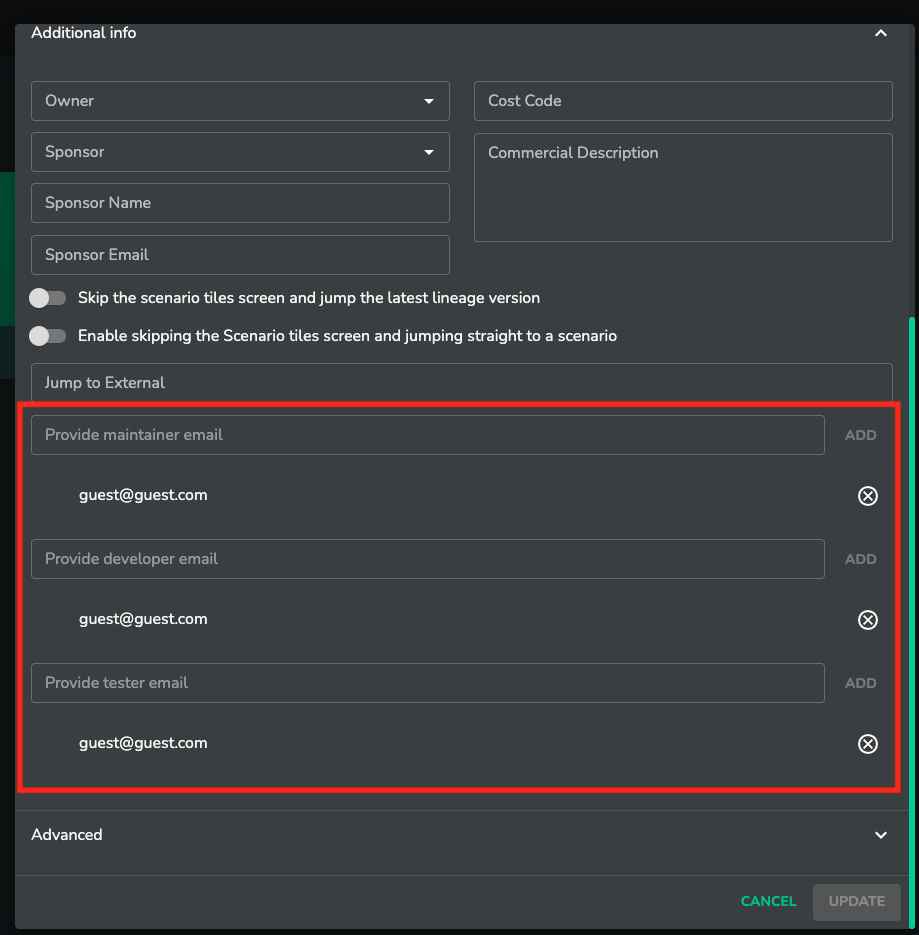
Edit Project Modal In Admin Panel